+ Ensure that all citations are accurate and complete, regardless of how they were created + Format all citations consistently according to the required style + Use in-text citations to clearly connect information in the paper to its source
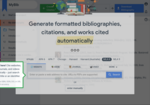
Choose MLA 9 style! -- Auto-generate citations from the URL or ISBN. -- PAY ATTENTION TO "Suggestions." Make corrections if needed -- Editors, publishers, and websites are not authors. If actual authors or editors are not listed, leave blank. -- If name of the website is included in the finished citation more than once (not including the URL DELETE all except the very first one. -- If URL or ISBN is not available or does not generate a citation, go to options, "More", to choose type of source and fill information into spaces provided. -- Copy and paste citations provided by databases. They are more accurate. Go to options, "More" and choose "Write/paste citation"

Use NoodleTools "Advanced" for any sources that cannot be cited properly in MyBib. -- See Mr Lloyd for help!
A directory and database compiled to support learning and research for courses in modern Western Civilization and World Cultures, modern European, American, and Latin American history. Compiled by Paul Halsall at Fordham University.









Sign into JStor using your Google account
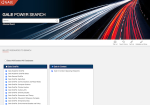
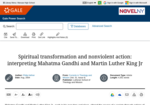
Explore Gale through 'Search' bar. -- Choose 'Content type' (books, journals, etc), -- limit to 'Full Text Documents', and -- narrow by 'Subject'. -- Continue to narrow using 'Subjects', 'Document Type', 'Search Within Results', etc.
Instructions to use filters and "search within" options to refine and to limit suggested resources.
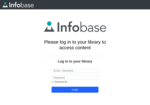
Try this Database Trial: Username - geneseeVB Password - resource

Sign in with Google to read 100 free articles per month from this revered collegiate / academic / professional database. Use the "Search within" tool to refine results.